Introduction to BISP 8171 Wallet Account SIM
The BISP 8171 Wallet Account is an important digital service that allows beneficiaries of the Benazir Income Support Program to securely receive and manage their payments. With this system, eligible women can withdraw their assistance money, check their balance, and use digital financial services without long delays. Because the BISP program aims to provide financial inclusion and smooth service delivery, maintaining updated personal information is vital. One of the most important details in your profile is your registered mobile number.
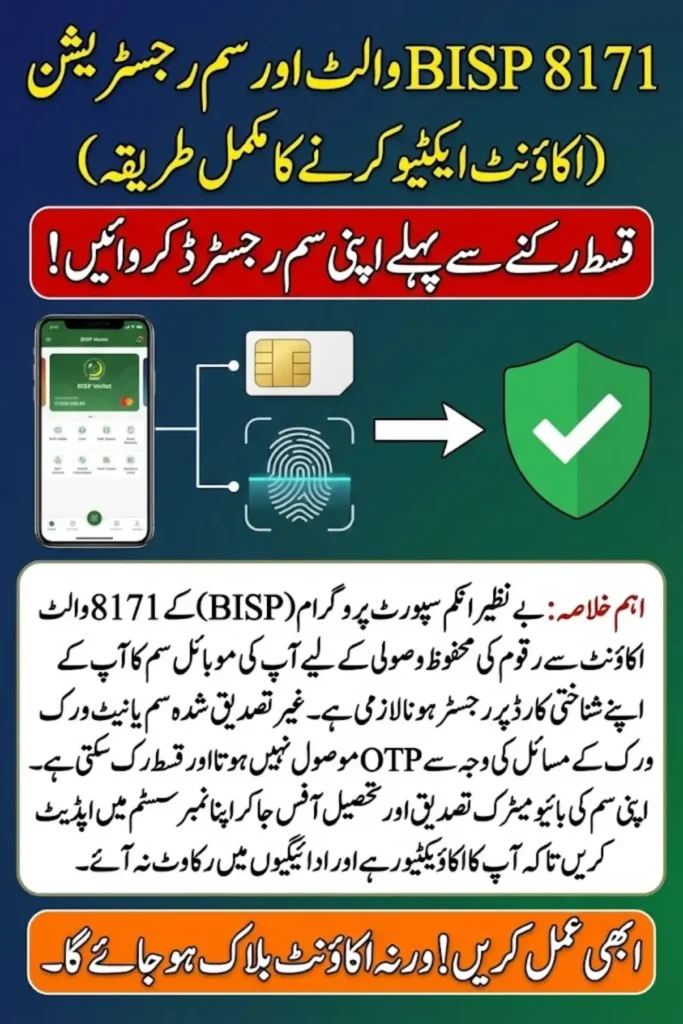
A SIM registered in your name ensures that notifications, verification codes, and payment alerts reach you directly. It also increases the overall security of your BISP 8171 Wallet Account. When the SIM is not registered or linked correctly, beneficiaries experience delays, verification failures, or even blocked payments. That is why understanding SIM linking and how to resolve related issues can save time, prevent payment interruptions, and ensure a seamless experience.
You Can Also Read: BISP 8171 Phase 3: Complete District List, Eligibility Criteria & Wallet Payment Guide 2025
Why SIM Registration Is Important for the BISP 8171 Wallet
A correctly registered SIM is essential for receiving OTP codes, confirmation messages, and important updates from BISP. It also ensures that your wallet is secure and prevents unauthorized access to your account. Without SIM verification, the system cannot confirm your identity, which may result in payment delays or temporary account suspension.
Key reasons why SIM registration matters
- It ensures your identity matches the official CNIC record.
- Allows the system to send OTP codes for verification and withdrawals.
- Provides secure communication with BISP for payment alerts and program updates.
- Helps prevent fraud or misuse of your payment account.
- Reduces the chances of technical errors or account blockage.
A registered and verified SIM protects your account and ensures your BISP payments reach you safely and on time
You Can Also Read: BISP 8171 Ehsaas Kafalat Program & Education Stipend Quarterly Payment Increase Details
How to Register or Link a New SIM with Your BISP 8171 Wallet Account?
Linking a new SIM with your BISP 8171 Wallet ensures that all official messages and verification codes reach you directly. Before starting, make sure that the SIM you want to register is in your own name, according to your CNIC records.
Steps to register or link a new SIM
- Insert the new SIM in your mobile phone and activate it.
- Make sure the SIM is biometrically verified in your name.
- Visit your nearest BISP Tehsil Office to update your mobile number.
- Provide your CNIC and basic information to the representative.
- The officer will update your number in the BISP 8171 Wallet system.
- Wait for the confirmation message indicating that your SIM has been successfully linked.
Once your number is updated, you will begin receiving verification codes and payment notifications on the new SIM.
You Can Also Read: Toyota Pakistan Cuts Fortuner Price by Rs 2.5 Million in a Limited-Time Deal
Common SIM-Related Problems in the BISP 8171 Wallet Account
Many beneficiaries encounter SIM-related problems that can delay or block their payments. Understanding these issues helps you resolve them more quickly. Most problems arise when a SIM is not registered, inactive, or linked to the wrong CNIC.
Common problems users face
- SIM not registered in the beneficiary’s own name.
- OTP codes not received due to network issues.
- SIM blocked or inactive due to long periods of non-use.
- The wrong mobile number is registered in the BISP system.
- Mismatch between CNIC information and SIM ownership.
- Old SIM lost or damaged, causing missed verification messages.
Identifying the exact issue helps you take quick action and avoid delays in receiving your assistance.
You Can Also Read: Punjab Chief Minister Approves Exclusive Honorary Card for Imam Masjid Sahib
Solutions to BISP 8171 Wallet SIM Linking & Verification Issues
Beneficiaries often need simple and clear solutions when SIM verification issues occur. The good news is that most problems can be resolved with basic steps, either by updating your mobile number or checking SIM activation status.
Solutions to common SIM verification problems
- Re-register your SIM biometrically at your mobile network franchise.
- Restart your phone or reinsert the SIM to fix network issues.
- Make sure the SIM is in your own name to match your CNIC.
- Visit the BISP Tehsil Office to correct the number in the system.
- Call your mobile company helpline to reactivate blocked SIMs.
- Ensure that your phone has signal coverage when expecting OTP codes.
Following these solutions can restore your SIM functionality and smooth wallet operations.
You Can Also Read: Eobi Login Portal: Simple Steps to Register, Access the Official Portal
How to Check BISP 8171 Wallet Status After SIM Update?
After updating your SIM, it is important to confirm that the system has completed the changes. Checking your BISP 8171 Wallet status lets you know whether your new number is correctly linked and ready to receive notifications.
Ways to check your wallet status
- Wait for a confirmation SMS from the BISP system.
- Call the official BISP helpline and ask for verification of your updated number.
- Visit the nearest BISP Tehsil Office and request a status check.
- Insert the new SIM in your phone and ensure messages are being received.
- Check your wallet balance and messages through the digital wallet interface.
If you receive confirmation or wallet messages, your SIM update has been successfully processed.
You Can Also Read: BISP 8171 New Card Launch 2025 – Complete Guide to Apply, Activate & Receive Payments
When You Should Visit the BISP Tehsil Office
Not all issues can be solved through your phone or network provider. In some cases, visiting the BISP Tehsil Office becomes necessary to update or verify your information at the official level.
Visit the Tehsil Office if you face the following
- SIM ownership does not match your CNIC.
- Multiple failed attempts to receive OTP codes.
- Your mobile number needs updating in the BISP database.
- Your account has been temporarily blocked due to verification failure.
- You lost your old SIM and cannot access previous messages.
- The beneficiary profile requires biometric re-verification.
Visiting the Tehsil Office ensures that your information is corrected directly in the BISP system.
You Can Also Read: BISP 8171 2025 Verification & Eligibility Guide – Step-by-Step Process to Secure Your Cash Assistance
Frequently Asked Questions
Why is my BISP verification code not coming to my phone?
This usually happens if your SIM is inactive, blocked, or not registered in your name. Updating your number in the BISP system may also be necessary.
Can I use someone else’s SIM for my BISP account?
No, the SIM must be in your own name because the system verifies your identity through CNIC and SIM ownership.
How long does it take to update my SIM in the BISP system?
Usually, it takes a few hours to one day after visiting the Tehsil Office.
I lost my SIM. What should I do?
Get a duplicate SIM from your mobile company and then update your number at the BISP Tehsil Office.
Can I change my SIM multiple times?
Yes, but each time you update your SIM, you must inform the BISP office so your wallet remains active and secure.
You Can Also Read: 8171 SIM Check 2025 – Complete Guide to Verify, Secure & Protect Your Mobile Number
Final Thoughts
Keeping your SIM updated and properly registered is essential for smooth use of the BISP 8171 Wallet Account. Your mobile number is more than just a contact detail—it is a key part of the verification system that ensures your payments are delivered safely. By understanding how SIM registration works and how to fix related problems, you can avoid delays and maintain continuous access to your financial support.
Whether you need to link a new SIM, resolve OTP issues, or check the status of your wallet, following the correct steps can make the entire process simple and stress-free. Staying informed, proactive, and careful with your SIM details helps you benefit fully from the BISP system without unnecessary complications.
You Can Also Read: BISP 8171 Payment Not Showing? Complete Guide to Check, Verify & Resolve Missing Payments 2025