
What is the EOBI login? Overview of the Pension Program
The EOBI login refers to the online access system provided by the Employees’ Old-Age Benefits Institution of Pakistan. This portal allows insured individuals and pensioners to manage their EOBI accounts, check eligibility, review contributions, and monitor pension payments conveniently from anywhere. It is a key part of the government’s effort to digitize public services and improve transparency in the pension system.
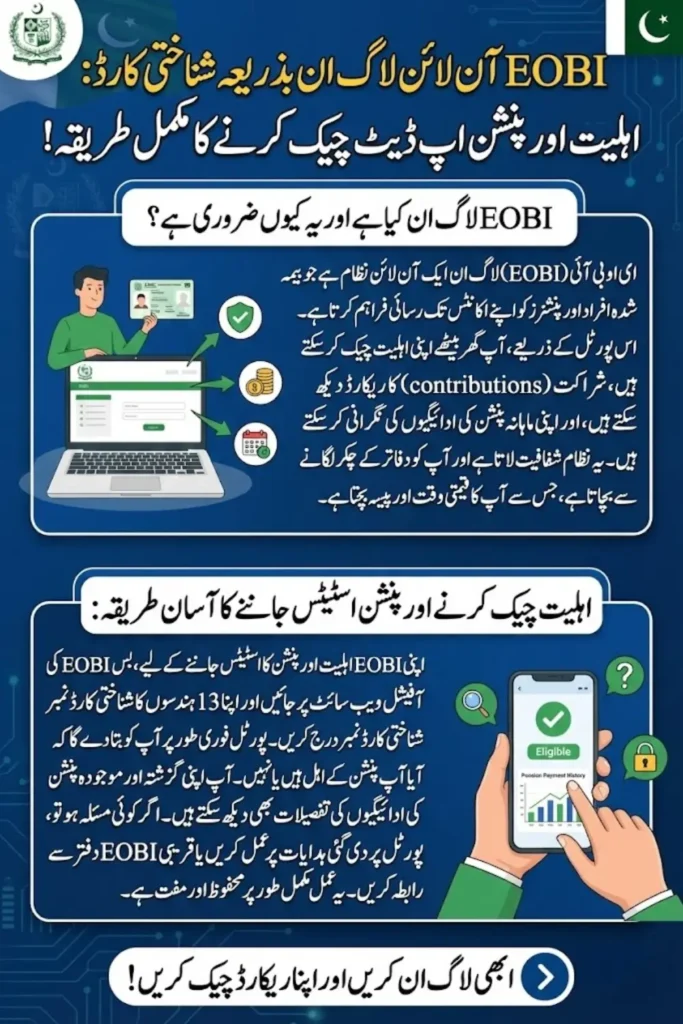
The EOBI pension program provides financial support to retired employees, disabled individuals, and family members of deceased workers. Through the online portal, registered beneficiaries can access information about their pension status, contribution history, and other relevant services. This ensures that all stakeholders remain informed and can address any discrepancies efficiently.
You Can Also Read: BISP 8171 Wallet Account SIM 2025 – Complete Guide to Get and Activate Your Free SIM
How to Log in to the EOBI Portal Using CNIC?
Logging in to the EOBI portal using your CNIC is straightforward and designed for both tech-savvy and non-tech users.
- Visit the official EOBI portal
- Click on the Login option for insured persons or pensioners
- Enter your 13-digit CNIC number without dashes
- Input the captcha code as displayed
- Click on Submit to access your account
- Once logged in, you can view pension status, contribution history, and other details
CNIC-based login provides a secure and convenient way to access your EOBI account from anywhere.
You Can Also Read: EOBI Login 2025 – Complete Guide to Access Your Insured Person Account
EOBI Online Registration Process for New Applicants
New applicants can register online to participate in the EOBI pension program without visiting regional offices.
- Go to the EOBI official website and click on New Registration
- Enter personal information such as name, CNIC, and date of birth
- Provide employment details, including organization and job duration
- Upload scanned copies of the required documents
- Submit the form and wait for verification
- Once approved, you will receive a confirmation email or SMS
The online registration process simplifies enrollment and ensures timely inclusion in the pension program.
You Can Also Read: Imam Masjid Wazifa Apply Online 2025 – New Guide for Monthly Stipend, Verification & Approval Process
How to Check Your EOBI Eligibility Online?
Eligibility verification ensures that only qualified individuals receive pension benefits.
- Access the EOBI portal
- Click on Eligibility Check
- Enter your CNIC and date of birth
- Submit the details to view your eligibility status
- The portal will indicate whether you meet the requirements for pension benefits
- If any data is missing, follow the instructions provided on the portal
Checking eligibility online saves time and confirms whether you qualify for EOBI benefits.
You Can Also Read: Ehsaas 8171 Program 2025 – Complete Online Application & Payment Collection Guide
How to Check EOBI Pension Status Using CNIC?
The pension status check allows beneficiaries to track payments and confirm disbursement schedules.
- Visit the EOBI portal login page
- Enter your CNIC and captcha code
- Navigate to the Pension Status section
- Review your monthly or quarterly pension payments
- Download the pension slips if required for record-keeping
- Any delay or discrepancy will be highlighted for further action
CNIC-based pension status checks provide clarity and transparency for all EOBI beneficiaries.
You Can Also Read: BISP 8171 Phase III Mobile Wallet 2025 – Updated Government Guide to Activate & Receive PKR 13,500
EOBI Insured Person Details: How to Verify Your Record Online
Insured individuals can verify their records to ensure all employment contributions are correctly recorded.
- Log in to the EOBI portal using your CNIC
- Go to the Insured Person Details section
- Review personal information, employment history, and contribution record
- Update any incorrect details through the portal or at the nearest EOBI office
- Download or print the verified records for personal use
- Accurate records help avoid delays in pension payments
Regularly verifying the insured person’s details ensures smooth processing of benefits.
You Can Also Read: BISP 8171 Phase III Mobile Wallet 2025 – Updated Government Guide to Activate & Receive PKR 13,500
EOBI Contribution Record Check on the Portal
Contribution records are crucial for calculating pension amounts accurately.
- Access the EOBI online portal
- Login using your CNIC and password
- Navigate to Contribution Record
- Check monthly or yearly contributions made by your employer
- Download the contribution summary for reference
- Report any discrepancies immediately to the regional EOBI office
Monitoring your contribution record ensures that your pension calculation is correct.
You Can Also Read: Punjab Government to Launch Phase III of the Green Tractor Programme for Farmers
Common Issues During EOBI Login & How to Fix Them
Several common problems can occur during login, but most have simple solutions.
- Incorrect CNIC or password: Recheck the information and re-enter
- Forgot password: Use the portal’s password reset feature
- Server issues; Try logging in after some time
- Incomplete registration: Complete all required fields and documents
- Browser compatibility: Use updated browsers like Chrome or Firefox
- Captcha not displaying: Refresh the page to load the code
Most login issues can be resolved quickly by following these troubleshooting steps.
You Can Also Read: Punjab Introduces Reward Program for Students in the CM Interest-Free Bike Scheme
Required Documents for EOBI Registration & Verification
Proper documentation is necessary for smooth registration and verification.
- Original CNIC of the applicant
- Employment proof, such as salary slips or an appointment letter
- Previous contribution records
- Bank account details for pension disbursement
- Any supporting documents for disability or family pension claims
- Mobile number and email for account notifications
Keeping these documents ready ensures hassle-free registration and verification.
You Can Also Read: Punjab Launches Digital Honorarium Cards for Imams Wazaif, Effective January 2026
Final Words
The EOBI online portal has transformed how beneficiaries manage their pension accounts. With CNIC-based login, eligibility checks, and contribution verification available online, the system promotes transparency, convenience, and efficiency. Beneficiaries can now access their pension details and monitor payments without visiting EOBI offices physically.
Staying updated through the portal ensures that your records remain accurate and benefits are received on time. By regularly checking eligibility, contribution history, and pension status, insured persons can avoid delays and enjoy uninterrupted pension support.
You Can Also Read: 8171 Latest Update: BISP Chairperson Raises PMT Score Limit to 60 in Balochistan
Frequently Asked Questions
How do I log in to the EOBI portal?
You can log in using your 13-digit CNIC and captcha code on the official portal.
Can new applicants register online?
Yes, new applicants can complete the registration online by submitting personal and employment details.
How can I check my pension status?
Log in with CNIC and navigate to the “Pension Status” section to see payments and history.
What should I do if my contribution record is incorrect?
Report discrepancies through the portal or visit your nearest EOBI office for correction.
Are there any documents required for registration?
Yes, CNIC, employment proof, bank details, and supporting documents for pension claims are required.
You Can Also Read: Punjab Government Rolls Out Digital Payment Cards for Imams Wazaif January 2026